



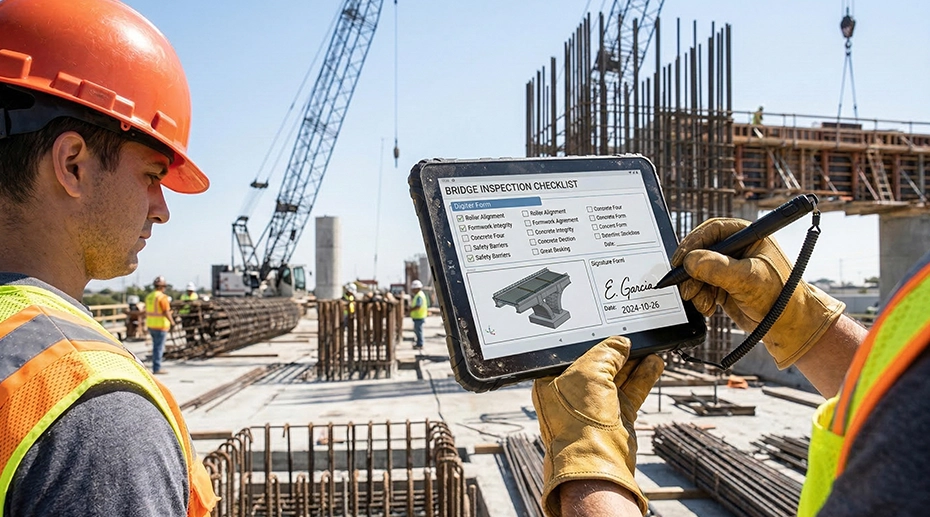
Field inspections require employees to collect information, review technical records, take photographs, complete forms, and communicate findings from locations that may be far from an office. Paper documents and consumer tablets can make these processes slower or less reliable. The panasonic toughbook 33 rugged tablet combines portable touchscreen operation with the physical protection and connection options required for demanding mobile assignments.
Why Are Field Teams Moving Away From Paper?
Paper forms remain familiar, but they can create extra administrative work. Employees may have to enter handwritten information into a computer after returning to the office. Documents can also become damaged, misplaced, or difficult to read.
Digital field inspections can help teams:
- Enter findings directly into business systems
- Attach photographs to individual records
- Confirm required fields before submitting forms
- Access earlier inspection reports
- Record dates and locations
- Collect electronic signatures
- Send reports without returning to an office
- Reduce duplicate data entry
A suitable field tablet must do more than run the required software. It must also remain usable when exposed to movement, weather, dust, and repeated handling.
How Does a Detachable Design Support Inspections?
The Toughbook 33 uses a detachable 12-inch tablet that can connect to an optional keyboard. This allows the same device to support touchscreen work at an inspection site and keyboard-based reporting inside a vehicle or office.
In tablet mode, an inspector can:
- Carry the device around a site
- Review checklists while standing
- Take photographs of equipment
- Mark locations on a map
- Enter short notes
- Capture customer or supervisor signatures
- View diagrams in confined spaces
When attached to a keyboard, the device can support:
- Detailed report writing
- Longer data-entry sessions
- Email communication
- Spreadsheet work
- Desktop-style applications
- Connections to external equipment
This arrangement may reduce the need to provide both a tablet and laptop to the same employee.
Why Is the 3:2 Display Useful?
The Toughbook 33 has a 3:2 display ratio, which provides more vertical viewing space than a typical widescreen laptop. This format can make documents, maps, forms, and business applications easier to view without excessive scrolling.
The screen format can be useful for:
- Building inspection forms
- Utility maps
- Equipment diagrams
- Public safety records
- Inventory applications
- Maintenance checklists
- Work-order software
The display also supports touch and digitizer input. Employees can select fields, add notes, and interact directly with inspection software instead of relying on a separate mouse.
When selecting any field device, buyers should evaluate screen brightness, reflection control, viewing angles, touchscreen response, and usability while wearing gloves.
What Makes a Tablet Suitable for Rough Conditions?
Consumer tablets are generally intended for homes, offices, and other controlled spaces. Field devices may be used near machinery, carried through outdoor areas, or placed on rough work surfaces.
The Toughbook 33 is classified as a fully rugged computer. Its construction is designed to provide protection against common field hazards, including:
- Accidental drops
- Mechanical shock
- Vehicle vibration
- Dust exposure
- Rain and water spray
- Temperature changes
- Frequent transportation
The device carries an IP65 rating when correctly configured and closed. The first digit indicates resistance to dust, while the second relates to water protection.
A rugged rating does not remove the need for proper handling. Port covers should be secured, batteries should be stored correctly, and cleaning should follow the manufacturer’s instructions.
How Do Twin Batteries Support Long Assignments?
Inspection teams may spend an entire shift away from a suitable charging point. High screen brightness, mobile connections, GPS, cameras, and inspection software can place additional demand on a tablet’s battery.
The Toughbook 33 uses two batteries and supports hot-swappable battery replacement. One battery can continue powering the tablet while the other is changed.
This function can be useful during:
- Full-day property inspections
- Emergency response assignments
- Utility maintenance work
- Remote construction visits
- Long vehicle patrols
- Infrastructure surveys
- Outdoor asset assessments
Actual operating time depends on battery condition, software activity, display settings, wireless use, connected equipment, and ambient temperature.
Which Connections Should Buyers Review?
Inspection teams may need to connect tablets to office networks, vehicle docks, security systems, or specialist tools. Available options can vary by generation and selected configuration.
Before ordering, organizations should check requirements for:
- USB-A and USB-C
- Ethernet
- HDMI
- Serial equipment
- Wi-Fi and Bluetooth
- Mobile broadband
- GPS
- Barcode readers
- Smart card readers
- Vehicle and desktop docks
- External antennas
Confirming these requirements early can prevent compatibility problems and unnecessary adapter use.
Which Industries Can Use Rugged Tablets?
Rugged tablets can support inspection and reporting work in several sectors:
- Construction and building inspection
- Utilities and energy
- Police, fire, and emergency services
- Manufacturing and industrial maintenance
- Transportation and fleet management
- Telecommunications
- Warehousing and logistics
- Government operations
- Insurance assessment
- Environmental fieldwork
Each organization should select its configuration according to software needs, working conditions, connectivity, security requirements, and shift length.
What Should Organizations Check Before Buying?
A field tablet purchasing checklist should include:
- Required operating system
- Processor and memory
- Storage capacity
- Screen visibility
- Touch and stylus requirements
- Battery configuration
- Environmental testing
- Required ports
- Wireless connections
- Keyboard and docking options
- Warranty and repair support
- New or professionally refurbished condition
Selecting the right rugged tablet can help inspection teams enter information at the point of work, access records without returning to the office, and reduce interruptions caused by device damage. Organizations can visit Tough Rugged Laptops to compare Toughbook 33 configurations, accessories, and purchasing options for their field operations.